How to Edit the EEO Page
Do you
need to edit the message at the top of the EEO page/form?
Here's
how:
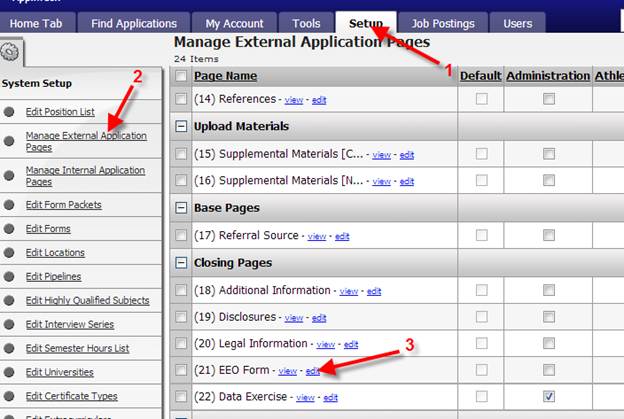
1. Go to the Set up
tab.
2. Click Manage
Application Pages (either Internal or External, the page is the same for both
and only one needs to be edited)
3. Locate the EEO Form
and click on ‘edit’
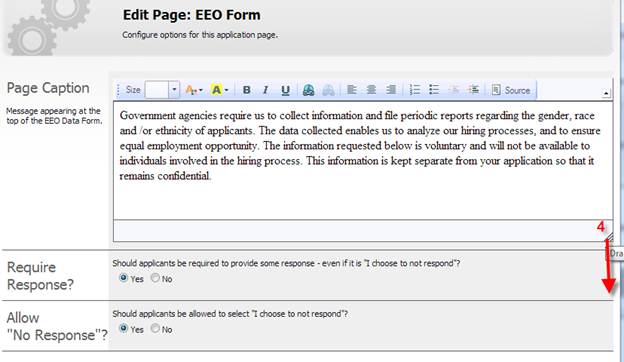
4. Expand the section to view the entire message
by clicking on the corner and dragging down.
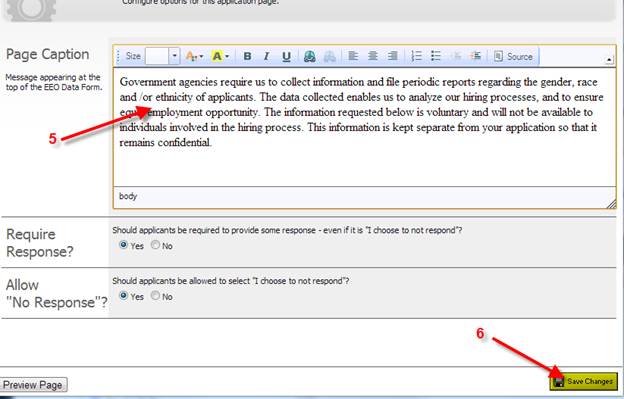
5. Edit the message as
needed.
6. Save the Changes.